

Contacts
The Contacts page is your central hub for managing your global contact list and campaign assignments. From here, you can add new prospects, import bulk lists, and drill down into individual contact analytics to track your outbound calling efforts.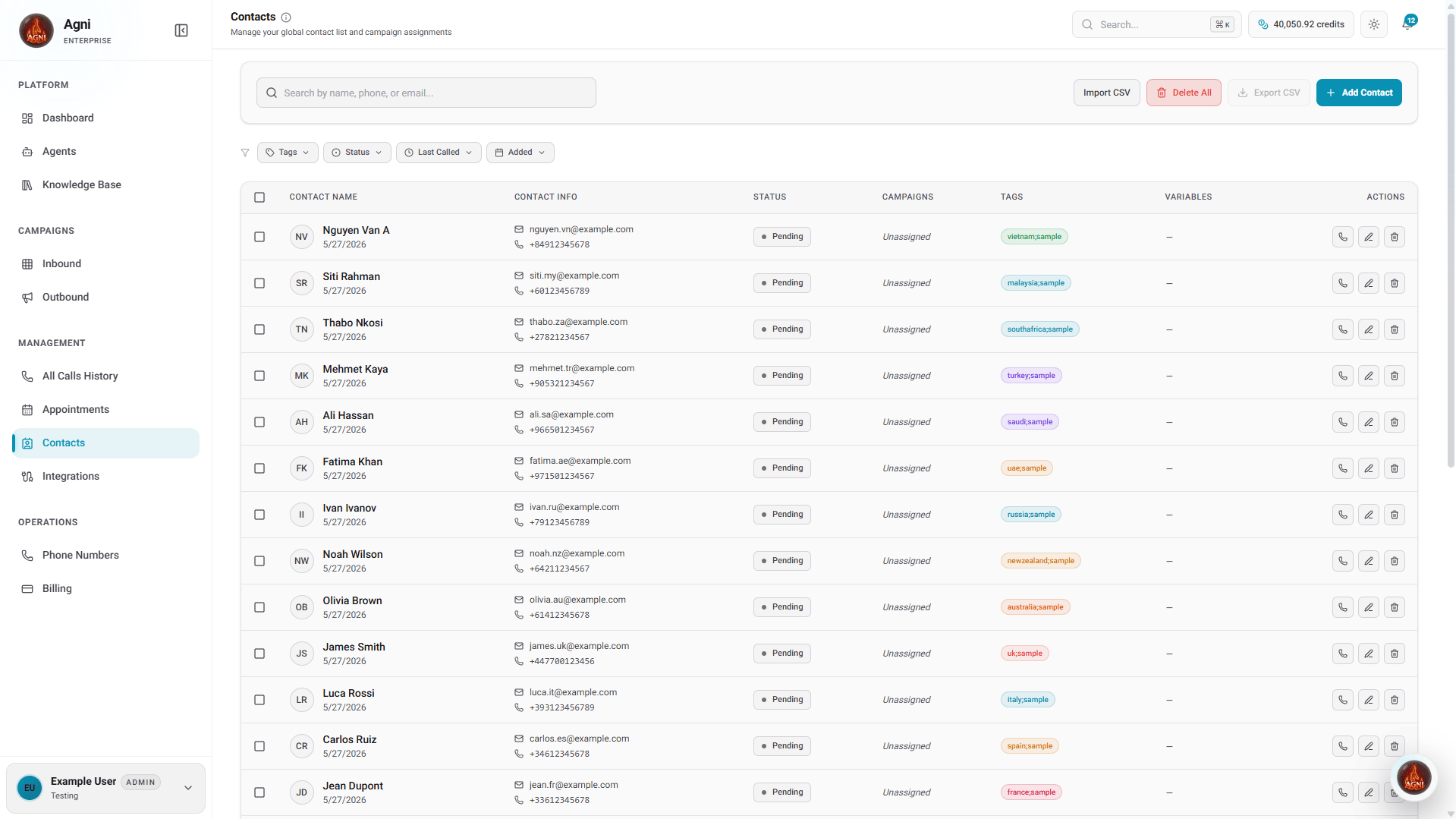
Adding and Managing Contacts
From the main Contacts dashboard, you can search for existing contacts or use the top-right action buttons to manage your list:- Add Contact: Manually create a new individual contact record.
- Import CSV: Upload a bulk list of contacts to quickly populate your database.
- Export CSV: Download your current contact list for external reporting.
- Delete All: Clear your existing contact database.
Contact Details
Clicking on a specific contact from your list opens their Contact Details dashboard. This page provides a comprehensive, 360-degree view of their identity, performance metrics, and interaction history.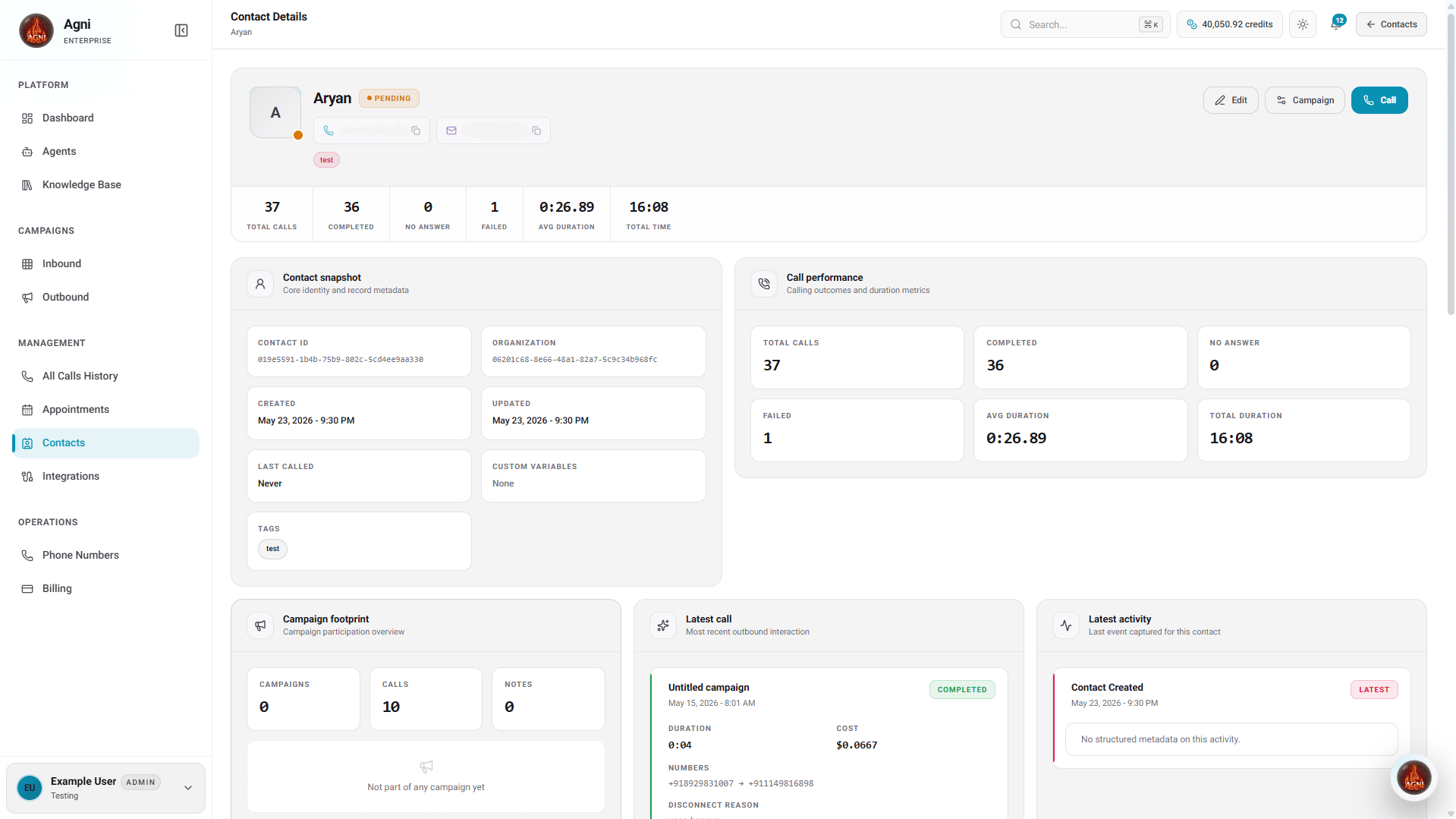
Key Metrics
At the top of the profile, a quick-stat banner displays the overall calling outcomes for the contact:- Total Calls: The total number of call attempts made to this contact.
- Completed: The number of calls that successfully connected and finished.
- No Answer: The number of calls that rang but were not answered.
- Failed: The number of calls that failed to connect due to network or routing issues.
- Avg Duration: The average length of time spent on the phone with this contact.
- Total Time: The cumulative duration of all successful calls.
Insights & Metadata
Below the top-level metrics, several detail cards provide deeper context about the contact and their journey:- Contact snapshot: Core identity and record metadata (including Contact ID, Organization, Creation/Update dates, and applied Tags).
- Call performance: Calling outcomes and duration metrics visualized for quick assessment.
- Campaign footprint: Campaign participation overview, summarizing how many campaigns the contact is part of and the associated calls or notes.
- Latest call: Information regarding the most recent outbound interaction.
- Latest activity: The last recorded event captured for this contact in the system.
History and Assignments
At the bottom of the details page, you can switch between dedicated tabs to view historical data or take action on the contact: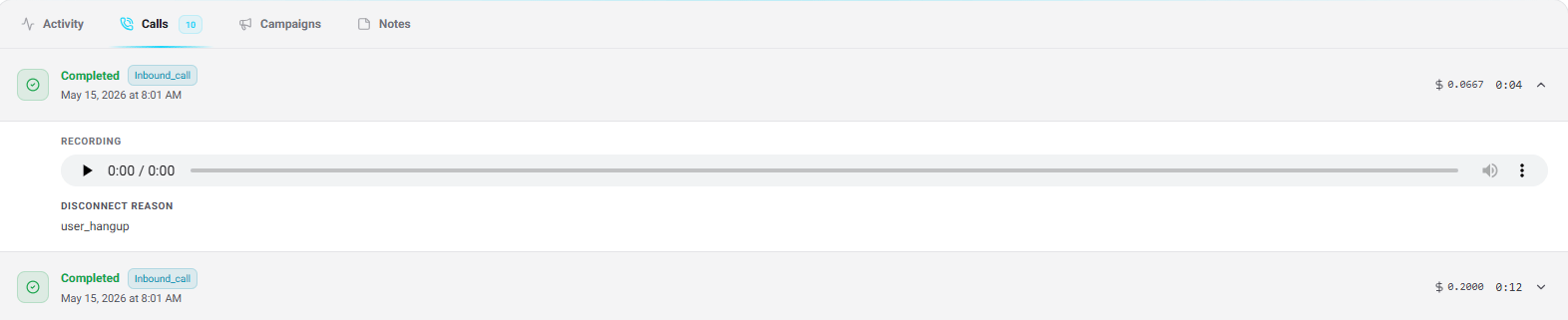
- Activity: Activities will appear here as you interact with this contact, providing a chronological timeline of events.
- Calls: Call history will appear once this contact has been called, logging detailed records of each attempt.
- Campaigns: Add this contact to a campaign to start reaching out, or view which campaigns they are already assigned to.
- Notes: A space for any manual notes, observations, or context gathered during interactions.