

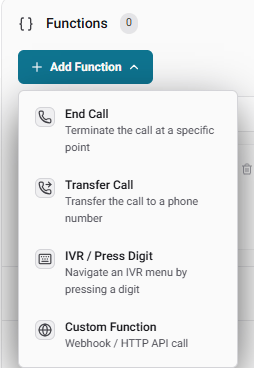
1. End Call
The End Call function allows the AI agent to politely and intentionally hang up the phone when a conversation has naturally concluded or a specific objective has been met.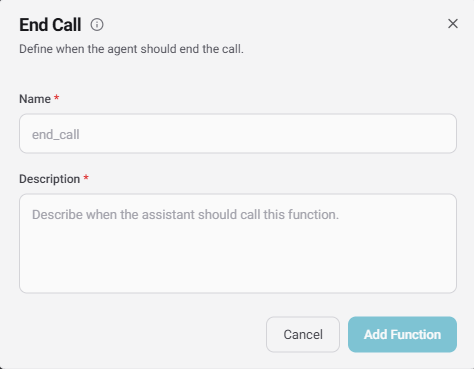
- Name: The internal identifier for the function (e.g.,
end_call). - Description: A natural-language instruction telling the AI exactly when it should trigger this function (e.g., “End the call after the user’s appointment time is confirmed.”).
2. Transfer Call
The Transfer Call function allows the AI to seamlessly route an active caller to a different destination. We offer three different ways an agent can transfer a call:Static vs. Dynamic Transfers
- Static: Routes the caller to a single, predefined phone number.
- Dynamic: Allows you to provide a prompt instructing the LLM to choose between multiple numbers based on the user’s input (e.g., “Ask the user which department they want, then transfer the call to the corresponding number.”).
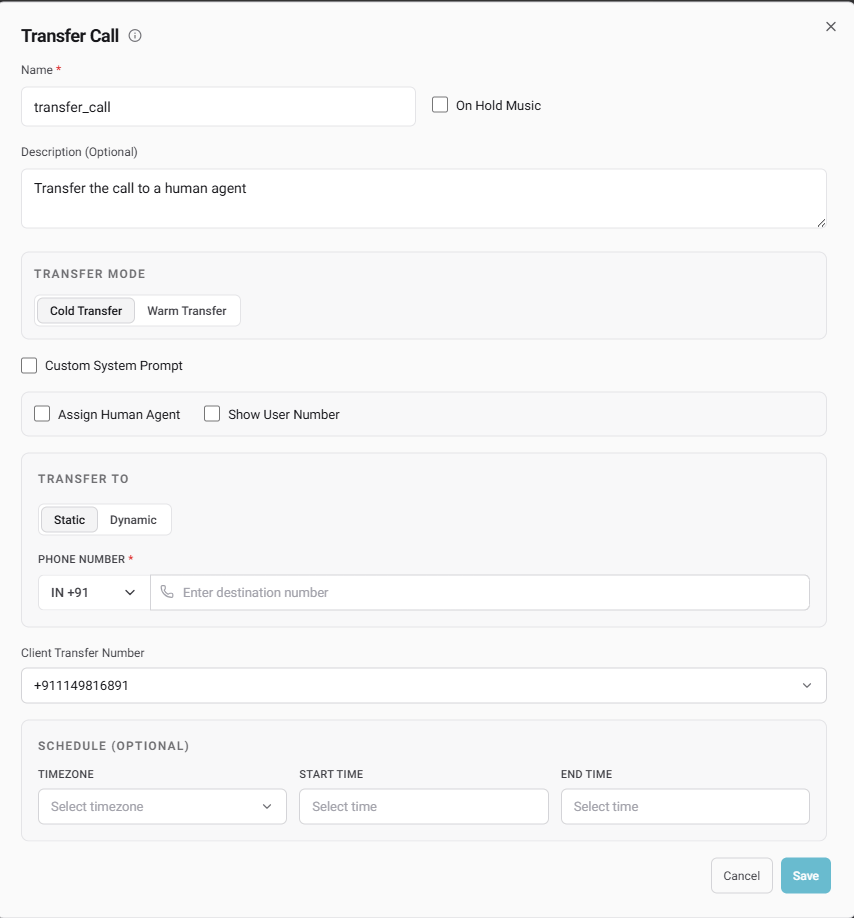
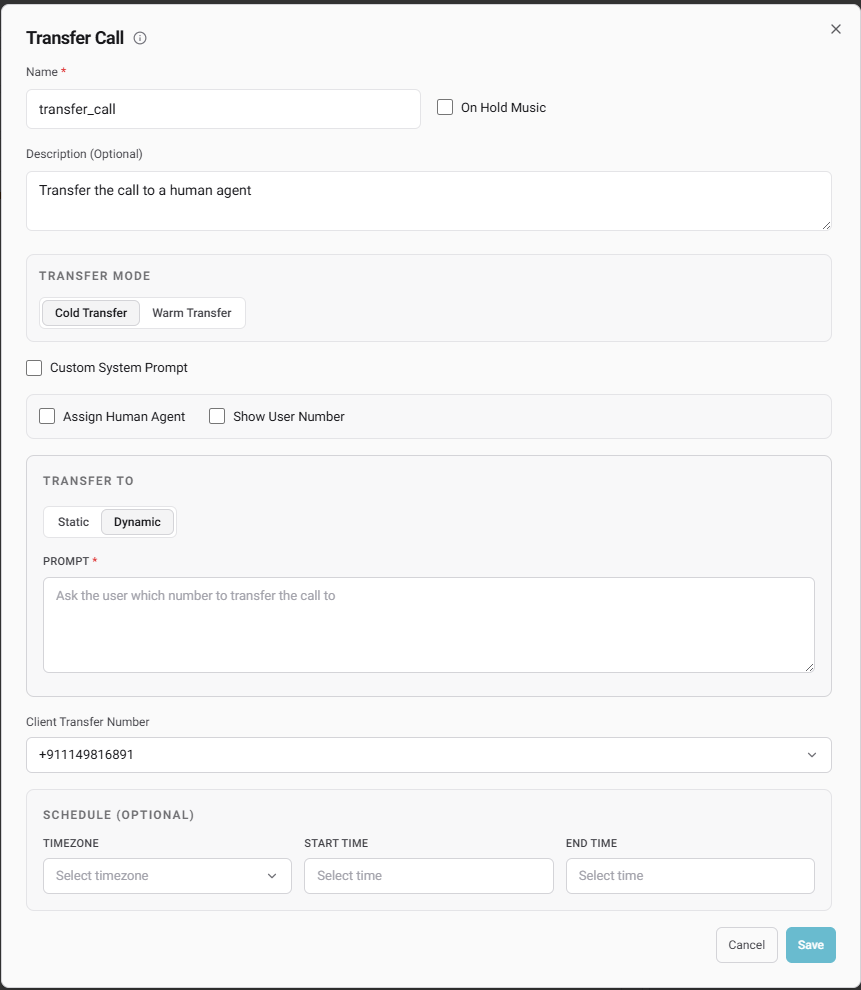
Assign Human Agent (GoHighLevel Integration)
This powerful feature allows you to transfer calls directly to members of your GoHighLevel (GHL) team.Scheduling (Optional)
You can apply strict operating hours to your transfer functions. By selecting a Timezone, Start Time, and End Time, you ensure the call transfer will only execute if the call occurs within the specified window.
3. IVR / Press Digit
The IVR / Press Digit function empowers your agent to navigate automated phone menus (like pressing ‘1’ for Support or ‘2’ for Sales).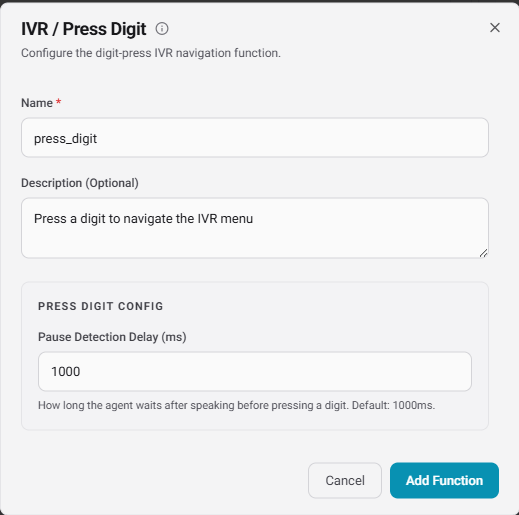
- Pause Detection Delay (ms): Controls exactly how long the agent waits in silence after speaking before it presses the required digit. The default is 1000ms, giving the receiving system time to register the input.
4. Custom Functions
Custom functions let you integrate your agent directly with your own application ecosystem. We support two execution types: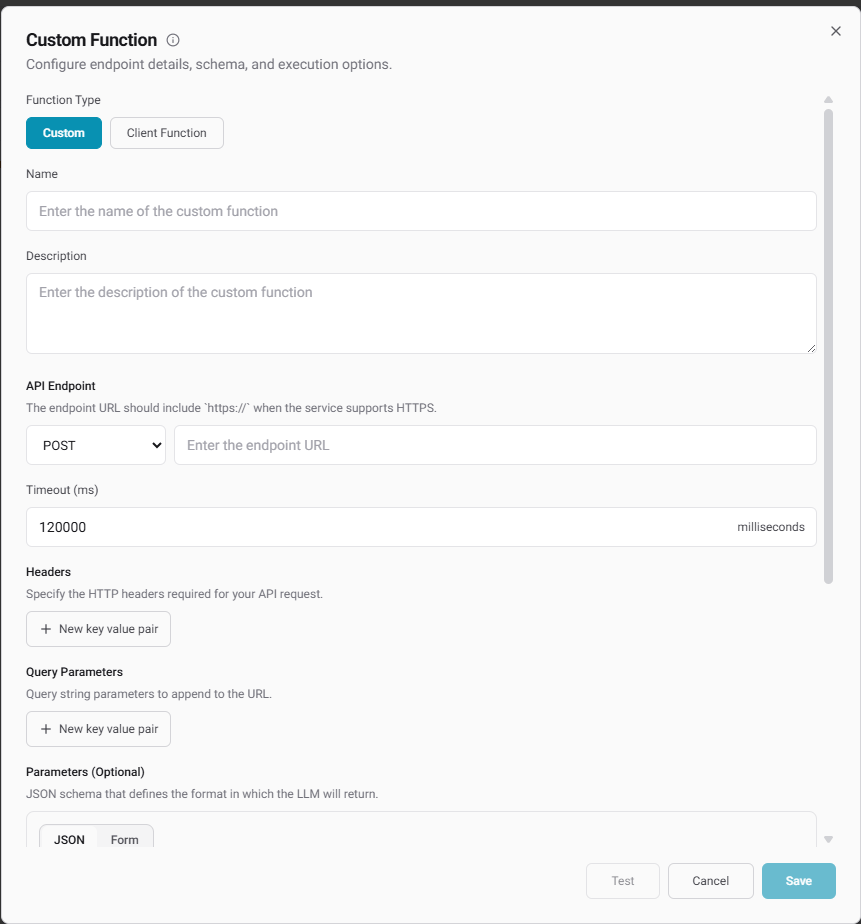
Custom (Server-Side API)
Configure a direct HTTP webhook call that the agent triggers mid-conversation.- API Endpoint: Define the HTTP method (GET, POST, PUT, PATCH, DELETE) and your secure
https://URL. - Timeout (ms): Set maximum execution limits to prevent the agent from stalling.
- Headers & Query Parameters: Pass required authorization keys or specific identifiers.
- Parameters (JSON Schema): Define the strict JSON payload format the LLM must generate to fulfill the API request.
Client Function
Execute functions strictly on the client side. Simply provide a Name, a Description of what the tool does, and an optional JSON Schema defining the parameters the LLM will pass directly to your client application.Extended Agent Capabilities
Beyond tools, the Agent Builder sidebar includes several dedicated panels to refine how your agent operates and connects with external data:Calendars & Human Agents
- Calendars: Link your agent to Lead Connector (GoHighLevel) or Cal.com so it can autonomously negotiate times and book appointments.
- Assign Human Agent: Quickly bind specific GHL users (configured via the “My Staff” step above) directly to the agent’s workflow.
Knowledge Base
Attach a custom dataset to your agent. This grants the AI access to your company’s specific documents, ensuring it knows your product details intimately and can answer questions without hallucinating.Speech Settings
Control the exact auditory experience of the call:- Background Sound: Layer in realistic ambient noise, choosing from Office, City, Forest, Crowded, Keyboard, or Hold music.
- Interruption Sensitivity: Adjust how easily the caller can talk over the agent (e.g.,
0.9). - Reminder Message Frequency: Define how many seconds of dead air should pass, and how many times the AI should attempt to re-engage, before speaking a custom Reminder Message.
Call Settings & Memory
- Telephony Rules: Toggle Voicemail detection, set Silence timeouts (e.g., 10s), enforce a hard Max duration limit (e.g., 30 min) to control costs, and configure Emergency fallback to transfer the call to a backup number on failure.
- Memory: When enabled, the agent remembers specific details about users across both inbound and outbound calls. For example, if a caller provided their name in a previous interaction, the agent can access that context and greet them personally (“Hey Aryan, how are you?”) on the next call.