

Knowledge Base (RAG)
Knowledge bases let your voice agents answer questions using your own data — product catalogs, FAQs, policies, pricing sheets, and more. Powered by Retrieval-Augmented Generation (RAG), your agent searches your knowledge base in real-time during calls to give accurate, contextual answers.How It Works
Create a knowledge base
Give your knowledge base a name and choose whether to enable Auto Refresh for URL sources.
Add sources
Add content via Text, URL, or File. Agni indexes your content automatically after each source is added.
Test with Playground
Use the built-in Playground to query your knowledge base and verify it returns the right information before going live.
Connect to an agent
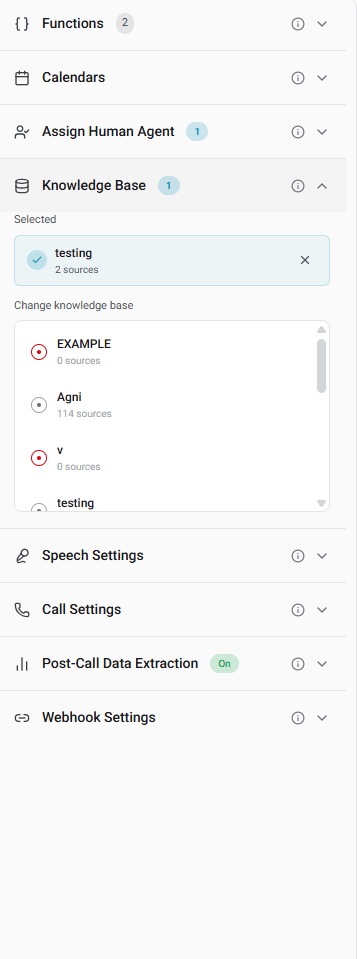
Open your agent in the agent builder and select the knowledge base from the Knowledge Base section.
Creating a Knowledge Base
Navigate to Knowledge Base in the sidebar and click + Create Knowledge Base.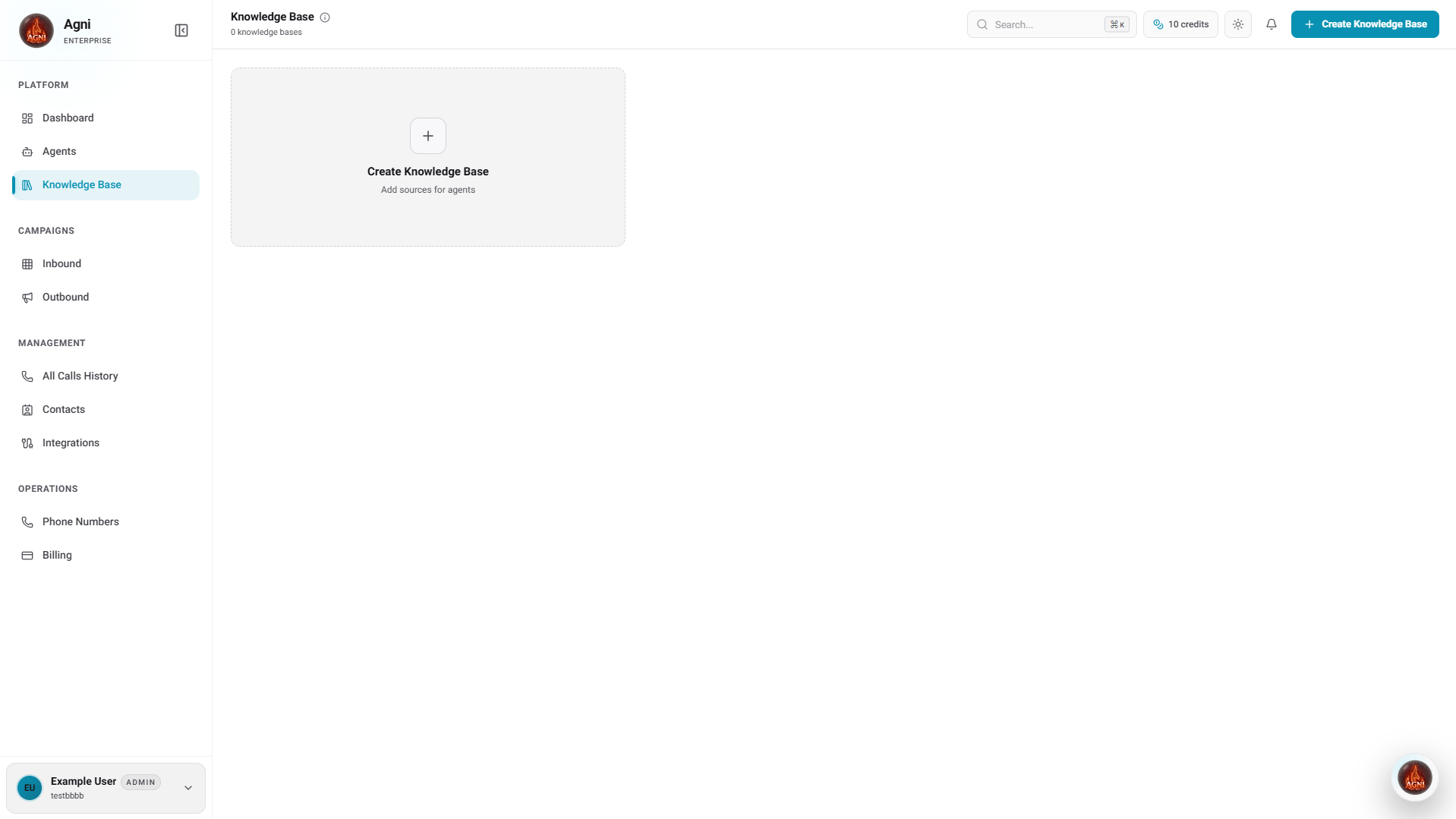
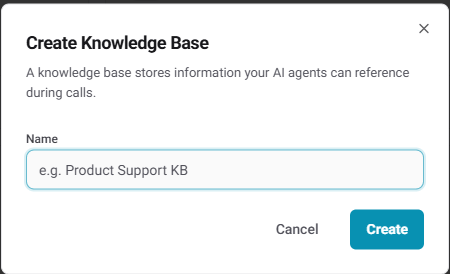
Click Create to create the knowledge base. You’ll be taken to the knowledge base detail page.
Adding Sources
After creating a knowledge base, click + Add Source to add content.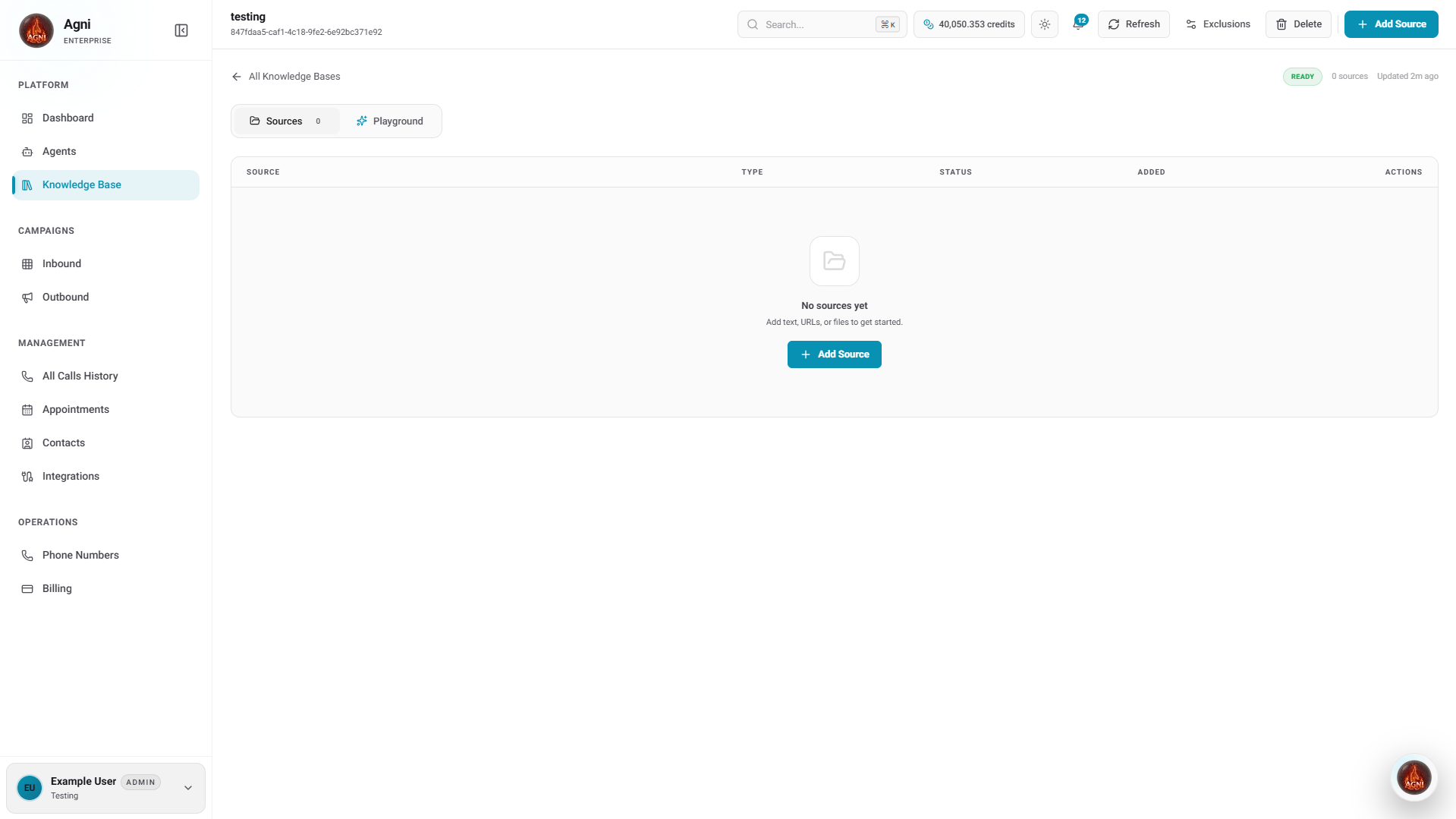
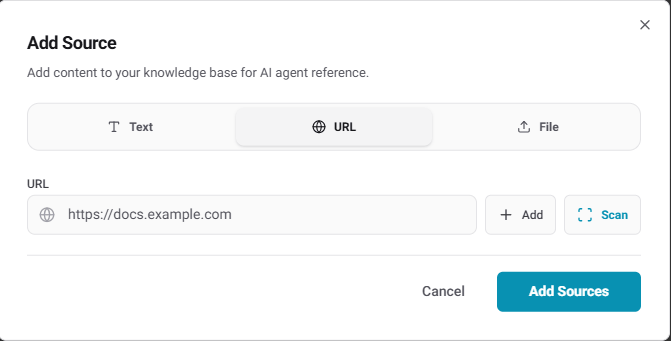
- Text
- URL
- File
Paste raw text or Q&A content directly. Ideal for FAQs, policies, and short reference documents.

Managing Your Knowledge Base
From the knowledge base detail page, you have access to the following actions:
The status badge in the top right (e.g., READY) shows whether the knowledge base is indexed and available. Auto-refresh is shown next to it when enabled.
Testing with Playground
Click the Playground tab inside your knowledge base to test retrieval before connecting it to an agent.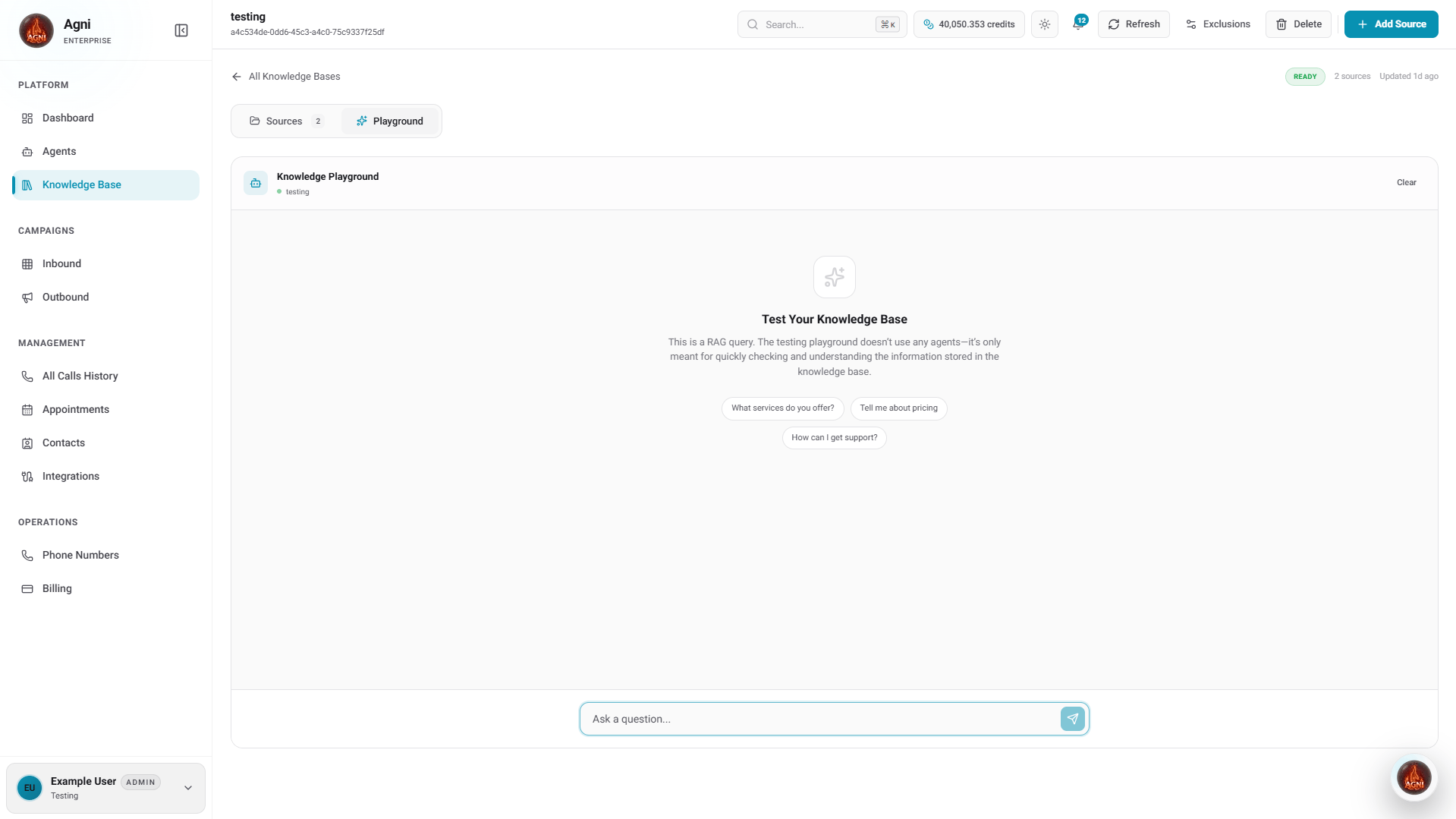
The Playground performs a raw RAG query — it does not use any agent. It’s only meant to verify what information your knowledge base contains.
Connecting to an Agent
To use a knowledge base during calls, you need to attach it to an agent.- Go to Agents and open the agent you want to configure
- Scroll down to the Knowledge Base section in the agent builder
- Select the knowledge base you created
Content Best Practices
Use Q&A format
Structure content as questions and answers. This matches how callers phrase questions and improves retrieval accuracy.
Keep sources focused
Each source should cover one topic. A focused 500-word FAQ retrieves better than a 10,000-word manual.
Include context
Don’t just list facts — include enough context for the agent to form natural, complete responses.
Enable Auto Refresh for URLs
Stale information leads to wrong answers. Auto Refresh keeps URL sources current without manual re-indexing.
Example: Good vs Bad Content
Bad (too terse):API Reference
Add a document
Query the knowledge base
Crawl a URL
Full endpoint reference
Troubleshooting
Agent finds wrong information
Agent finds wrong information
Your sources may be too broad. Split large documents into focused topics — each source should cover one subject area.
Agent says 'I don't have that information'
Agent says 'I don't have that information'
The content may not match how callers phrase their questions. Add multiple phrasings of common questions. Use the Playground to test retrieval directly.
Responses are too generic
Responses are too generic
Add more specific content — exact product names, numbers, dates, and policies. The more concrete your knowledge base, the more precise the answers.
URL sources are outdated
URL sources are outdated
Enable Auto Refresh when creating the knowledge base, or click Refresh manually from the knowledge base detail page to re-crawl all URL sources.